Every Starsim simulation produces results: time series of quantities such as the number of infections, deaths, or people in each disease state. This page explains how results are organized, how to access and manipulate them, and how to plot and export them.
Where results live
After a sim has run, all of its outputs are stored in sim.results, which is a nested structure. Each module adds its own group of results, and there are also some sim-level results (such as n_alive):
import starsim as ssss.options(jupyter=True)sim = ss.Sim(n_agents=2000, diseases='sir', networks='random', verbose=0).run()# Top-level groups: one per module, plus sim-level resultsprint('Result groups:', list(sim.results.keys()))# The results within the SIR disease moduleprint('SIR results: ', list(sim.results.sir.keys()))
Result groups: ['timevec', 'randomnet', 'sir', 'n_alive', 'n_female', 'new_deaths', 'new_emigrants', 'cum_deaths']
SIR results:   ['timevec', 'n_susceptible', 'n_infected', 'n_recovered', 'prevalence', 'new_infections', 'cum_infections']
You access an individual result by drilling down through the module name:
Each result is an ss.Result object. It behaves like a NumPy array (so you can index, slice, and do arithmetic on it directly), but it also carries metadata:
Attribute
Meaning
values
The underlying NumPy array of values
timevec
The time points corresponding to each value
label
A human-readable label (used in plots)
scale
Whether the quantity scales with population size (e.g. a count)
res = sim.results.sir.new_infections# Use it like an arrayprint(f'Peak new infections: {res.max():.0f}')print(f'Total infections: {res.sum():.0f}')print(f'Final timestep: {res[-1]:.0f}')# ...but it also knows its own time axis and labelprint(f'Label: {res.label}')print(f'First date: {res.timevec[0]}')
Peak new infections: 385
Total infections:    1978
Final timestep:      0
Label:    New infections
First date: 2000.01.01
Plotting results
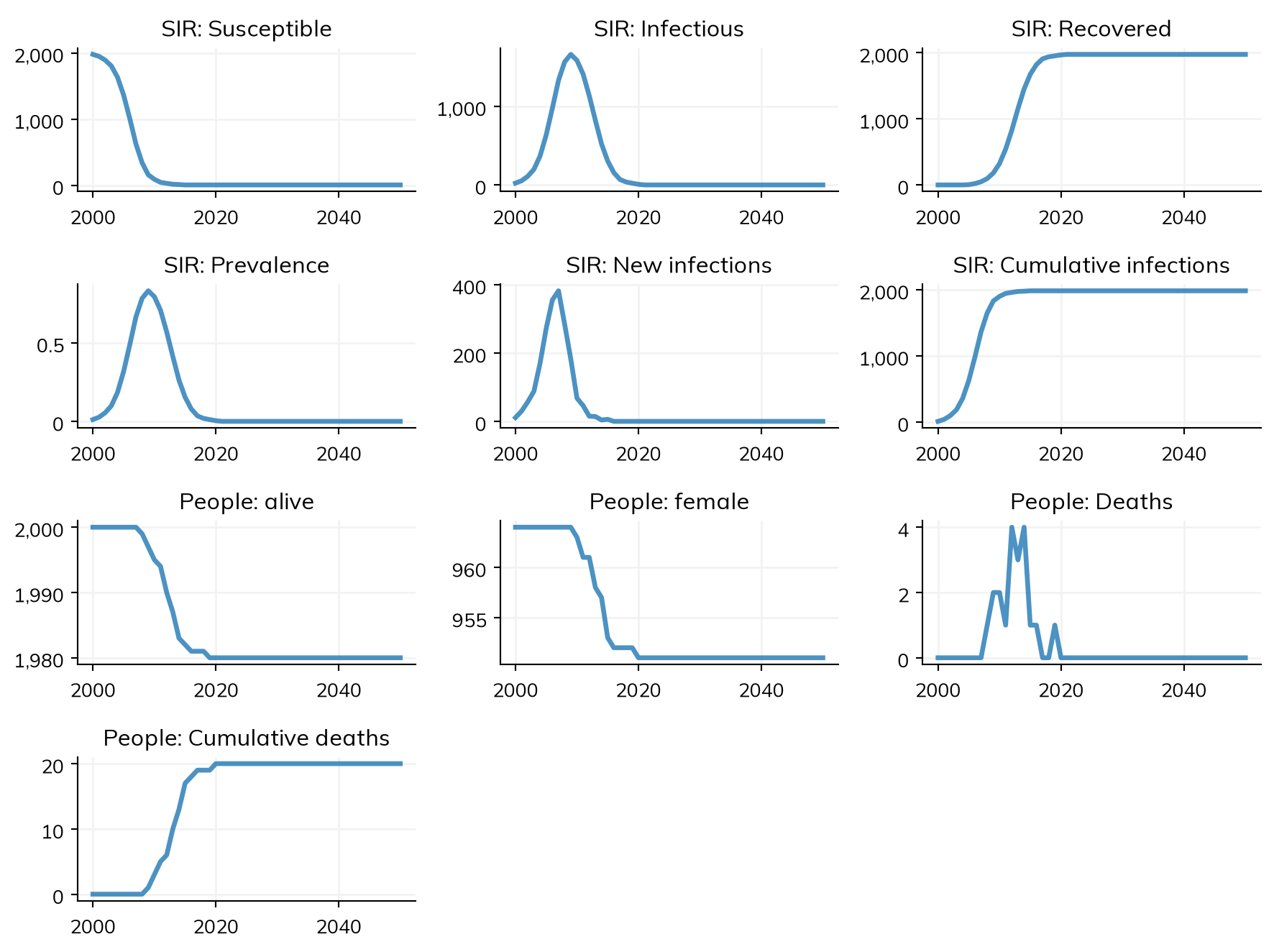
The quickest way to see everything is sim.plot(), which plots all results flagged for automatic plotting:
sim.plot()
Figure(896x672)
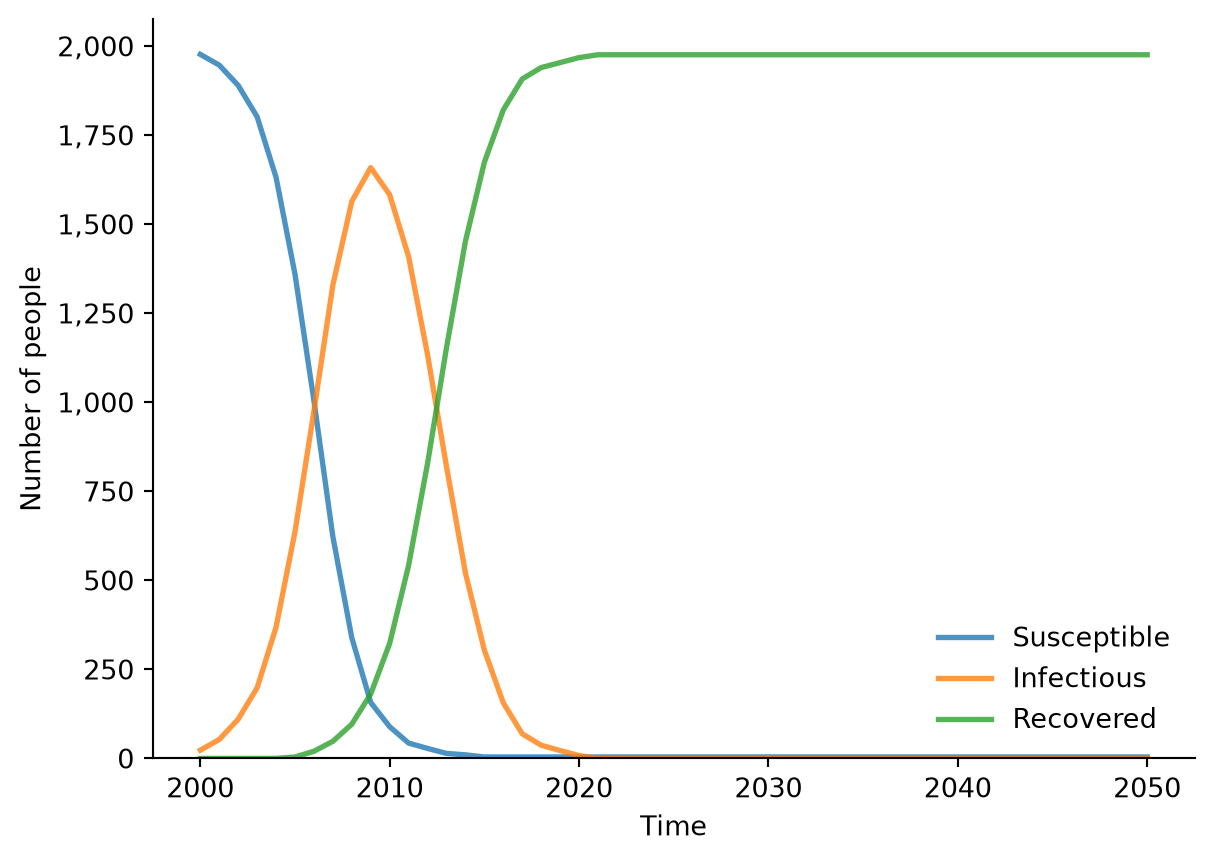
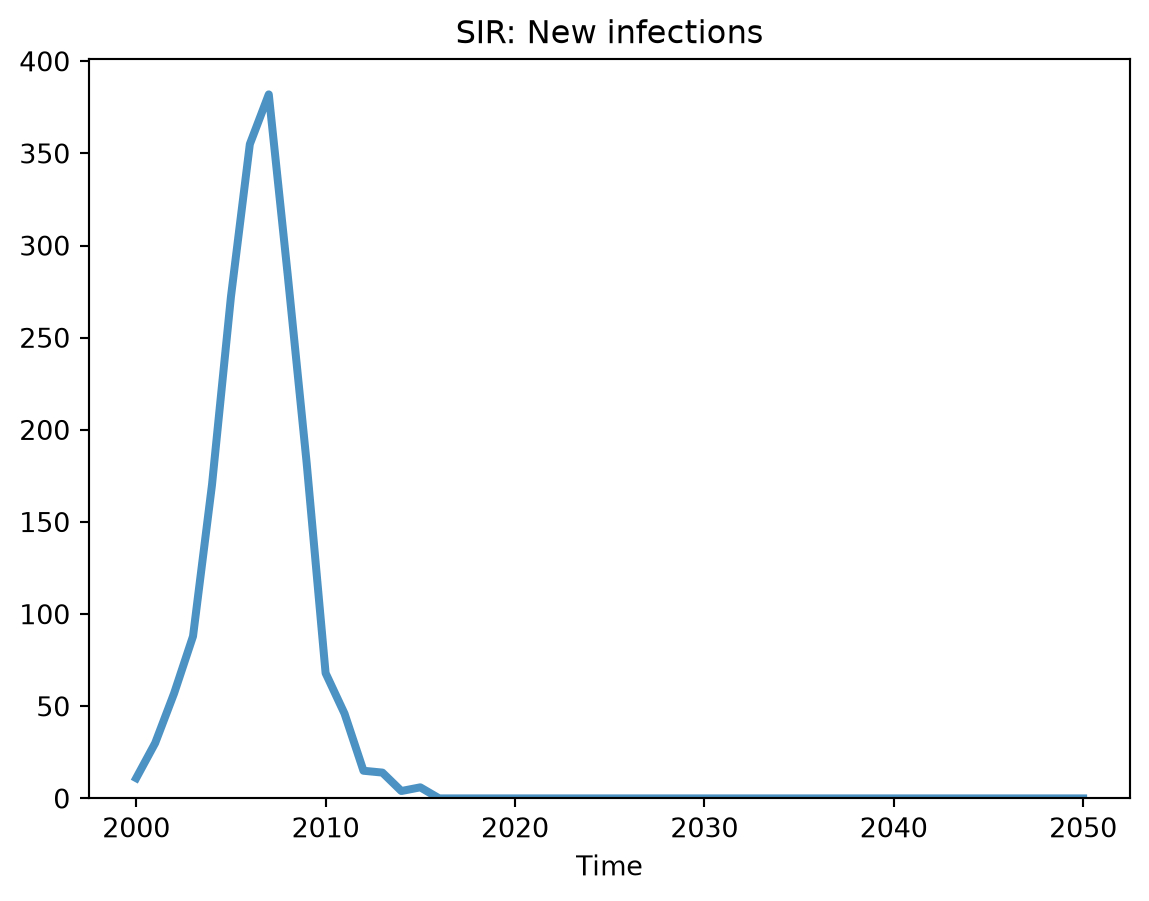
You can plot a single module’s results, or even a single result on its own:
# Just the SIR resultssim.diseases.sir.plot()
Figure(672x480)
# A single result, with its label and time axis handled automaticallysim.results.sir.new_infections.plot()
Figure(672x480)
Exporting results
To get results into a pandas dataframe — for example, to save to CSV or analyze further — use to_df(). This works at the level of a single module:
df = sim.results.sir.to_df()df.head()
timevec
n_susceptible
n_infected
n_recovered
prevalence
new_infections
cum_infections
0
2000-01-01
1975.0
25.0
0.0
0.0125
12.0
12.0
1
2001-01-01
1941.0
59.0
0.0
0.0295
34.0
46.0
2
2002-01-01
1882.0
118.0
0.0
0.0590
59.0
105.0
3
2003-01-01
1777.0
223.0
0.0
0.1115
105.0
210.0
4
2004-01-01
1607.0
393.0
0.0
0.1965
170.0
380.0
or for the whole sim at once, which flattens every module’s results into one wide dataframe:
If you’d rather have a flat dictionary of results keyed by module_result (rather than a dataframe), use sim.results.flatten().
Results across multiple runs
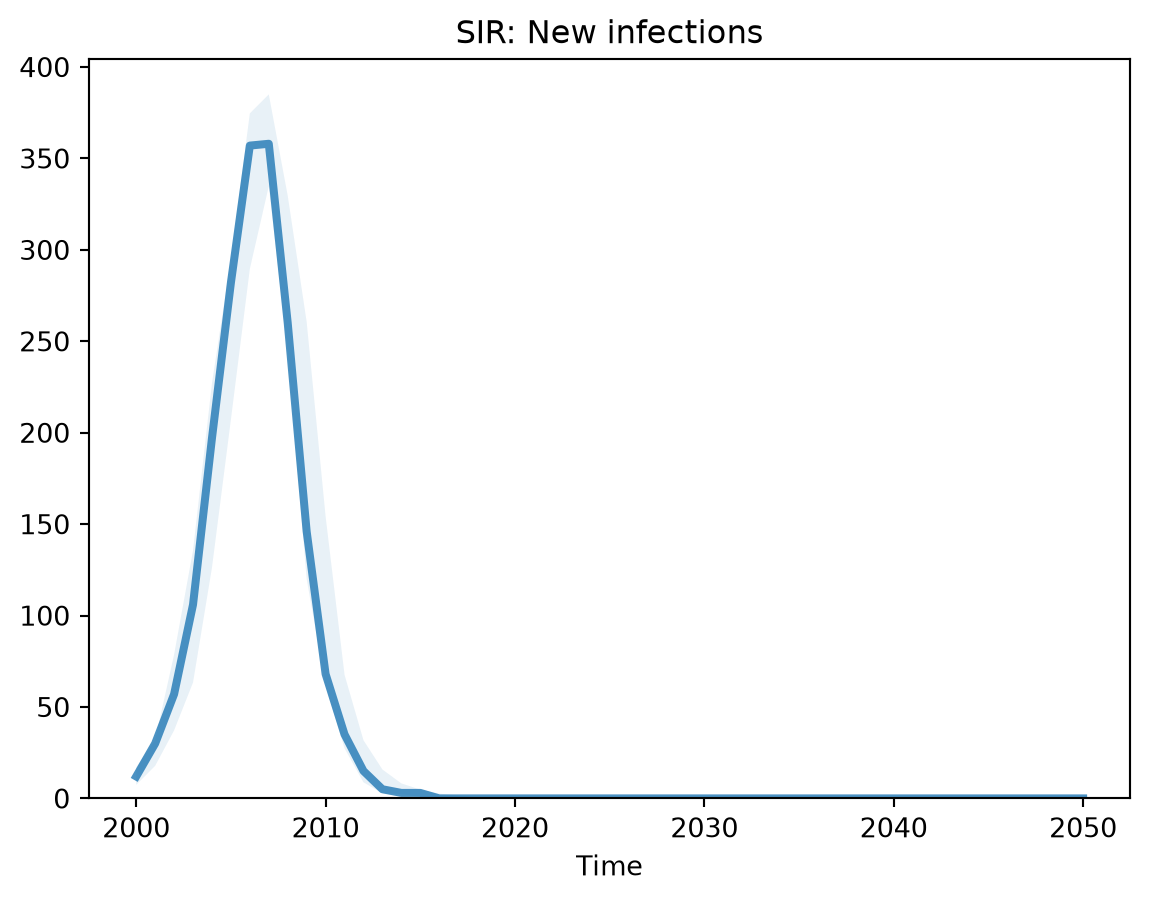
When you run many sims with ss.MultiSim, you usually want summary statistics across the runs rather than each run individually. Calling reduce() (or the convenience methods mean() / median()) combines the runs and populates the low and high uncertainty bounds on each result:
msim = ss.MultiSim(ss.Sim(n_agents=2000, diseases='sir', networks='random', verbose=0), n_runs=5)msim.run()msim.reduce()# After reducing, each result carries low/high bounds, which plot() shows as a bandres = msim.results['sir_new_infections']print(f'Bounds available: low={res.low isnotNone}, high={res.high isnotNone}')res.plot()
Note that across multiple runs the results are stored in a flattened structure keyed by module_result (e.g. sir_new_infections), so you access them with msim.results['sir_new_infections'] rather than the nested msim.results.sir... form used for a single sim.
Adding your own results
Any module can define custom results. For one-off analyses, the simplest approach is an Analyzer; to bake results into a module you’re writing, define them with self.define_results() (see Adding new modules). Either way, your results are stored in sim.results alongside the built-in ones and are exported by to_df() automatically.